Adaptive grid
Rows, columns and spacing recalculate the instant you resize the window. The grid always fills the page — never cramped, never overflowing.
Booklett replaces Chrome's new tab with a clean, adaptive grid of the bookmarks you actually use. Resize the window and the grid reflows. No clutter, no sign-in, no tracking.
Drawn preview — your actual new tab, live
Four decisions shape Booklett: adapt to your screen, adapt to your taste, respect your data, and cost nothing.
Rows, columns and spacing recalculate the instant you resize the window. The grid always fills the page — never cramped, never overflowing.
Switch light, dark or high-contrast appearance, then tune icon size, column gap and shape — circle, rounded square or tile.
Bookmarks and settings live in Chrome's local storage on your machine. No account, no analytics, no remote code — nothing phones home.
No premium tier, no ads, no upsell. Booklett does one job — a calmer new tab — and it does it for everyone.
Light, dark, the settings panel, adding a bookmark, and a fully customized layout — arrow through them or swipe.
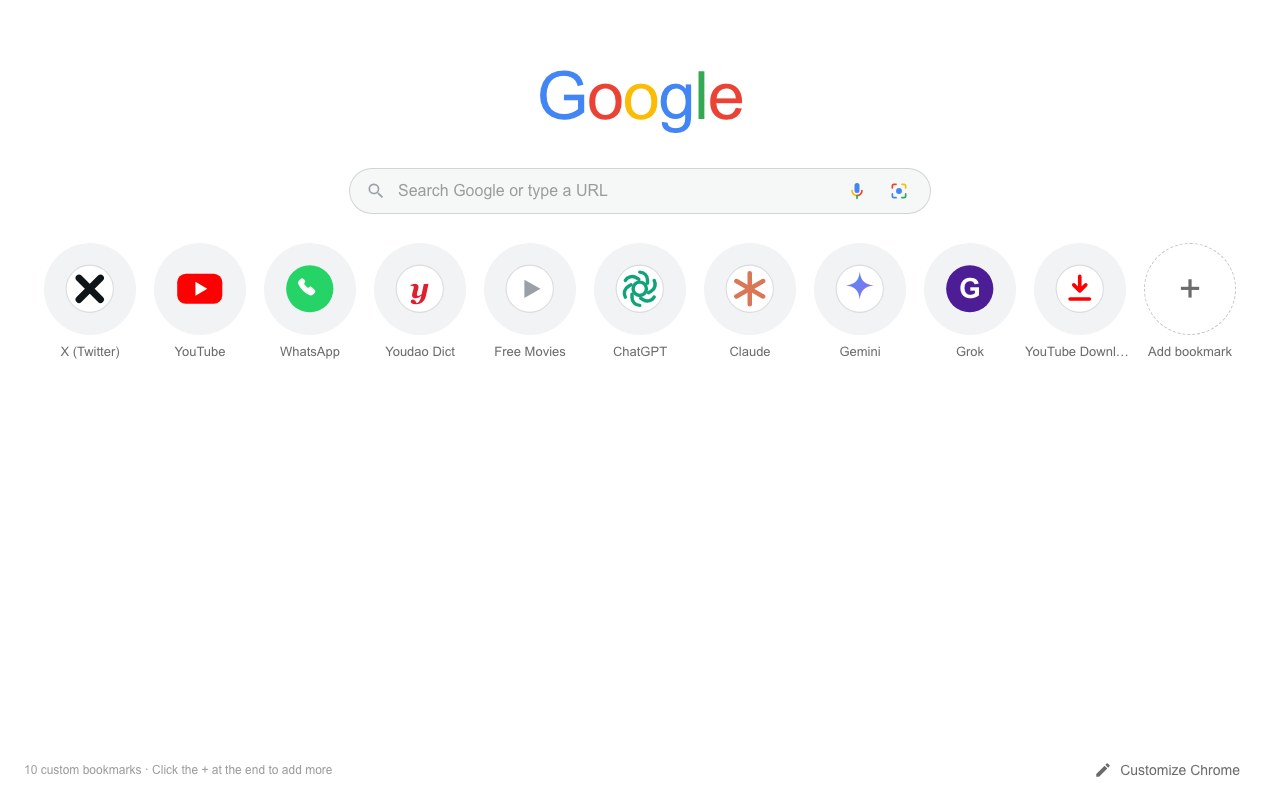
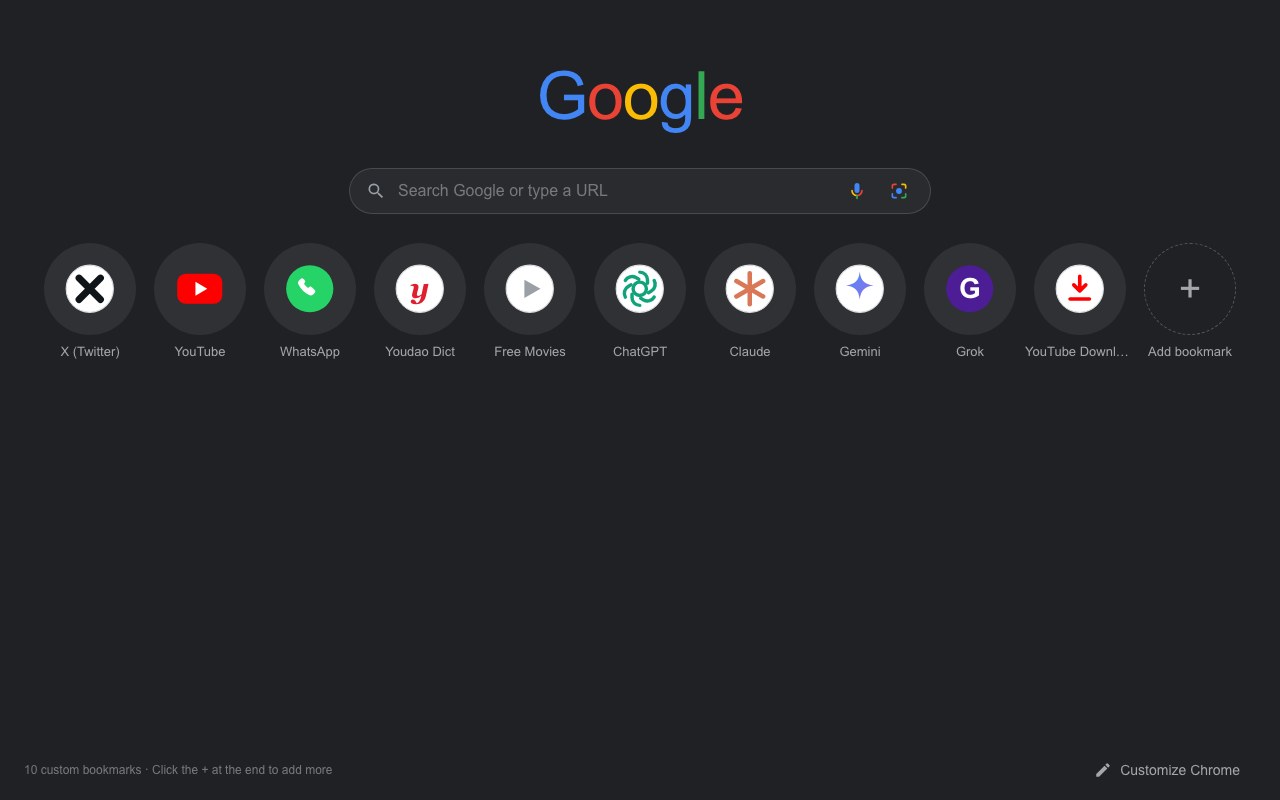
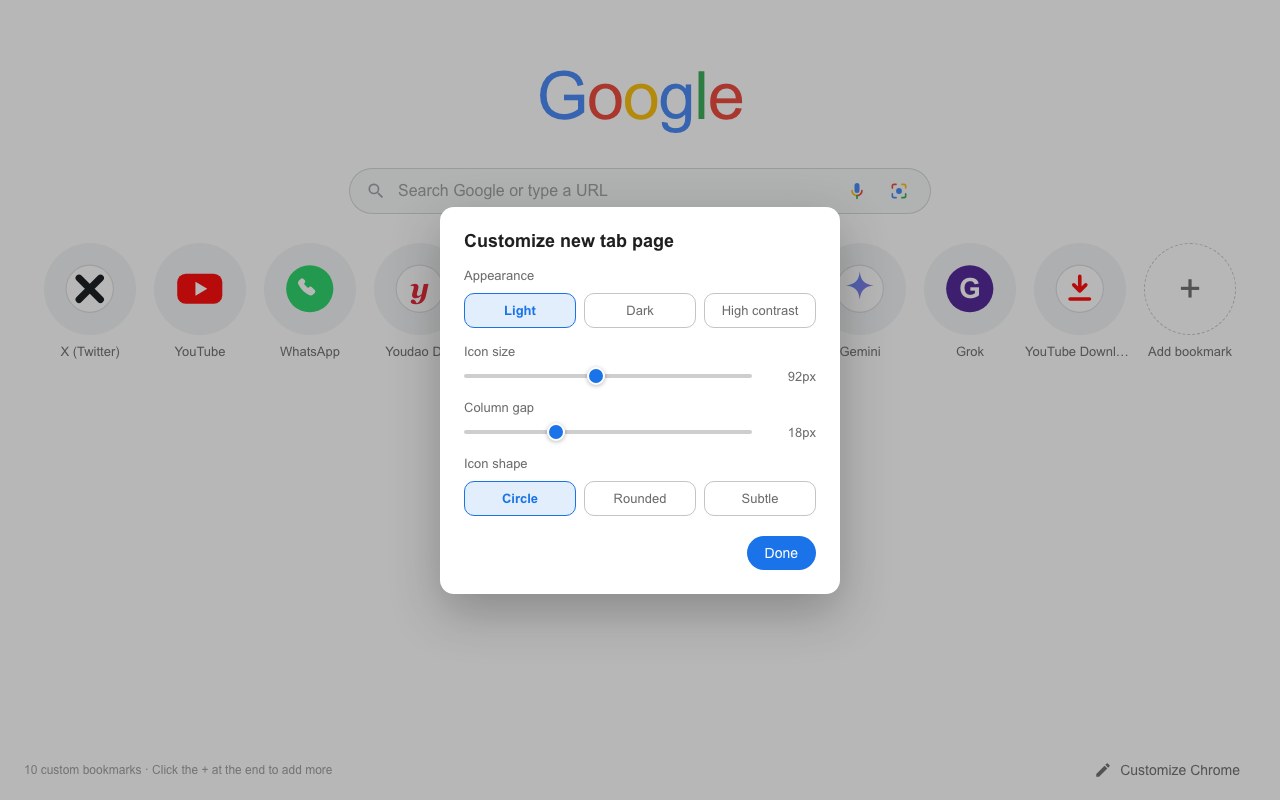
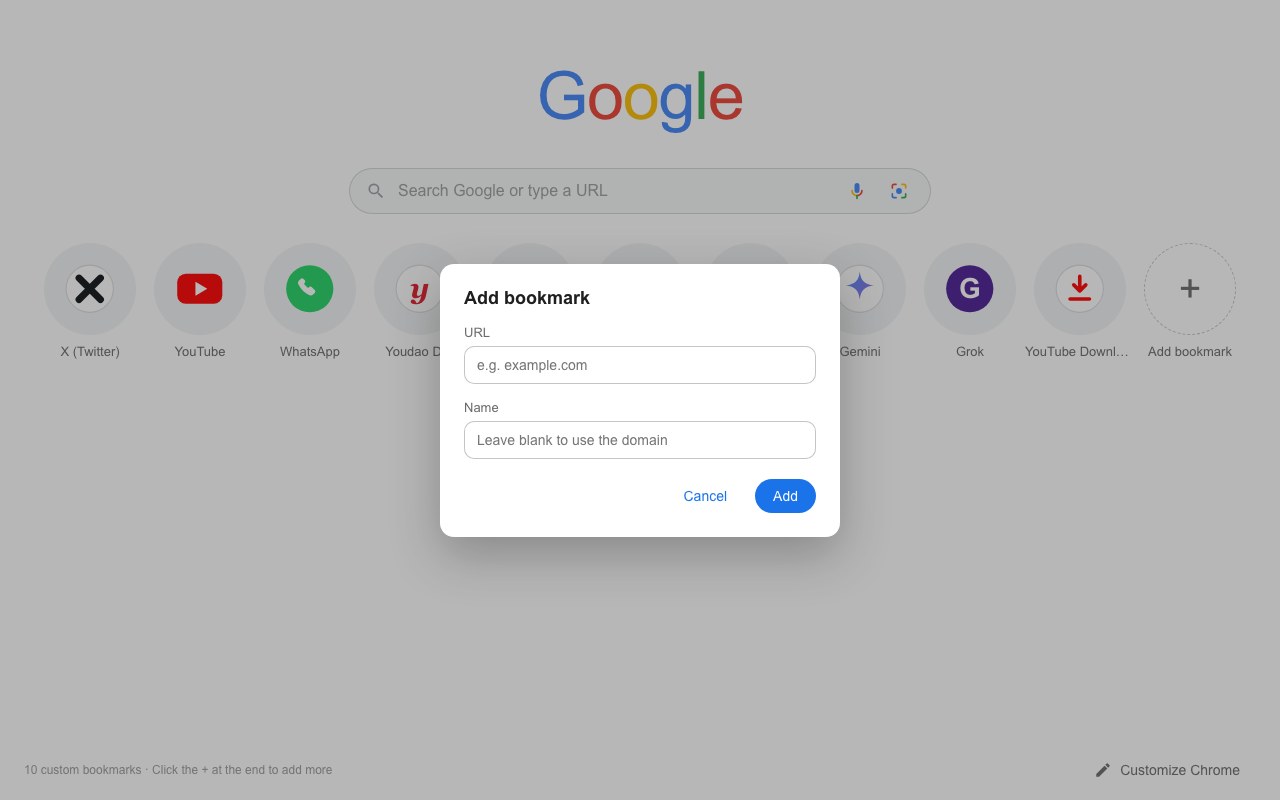
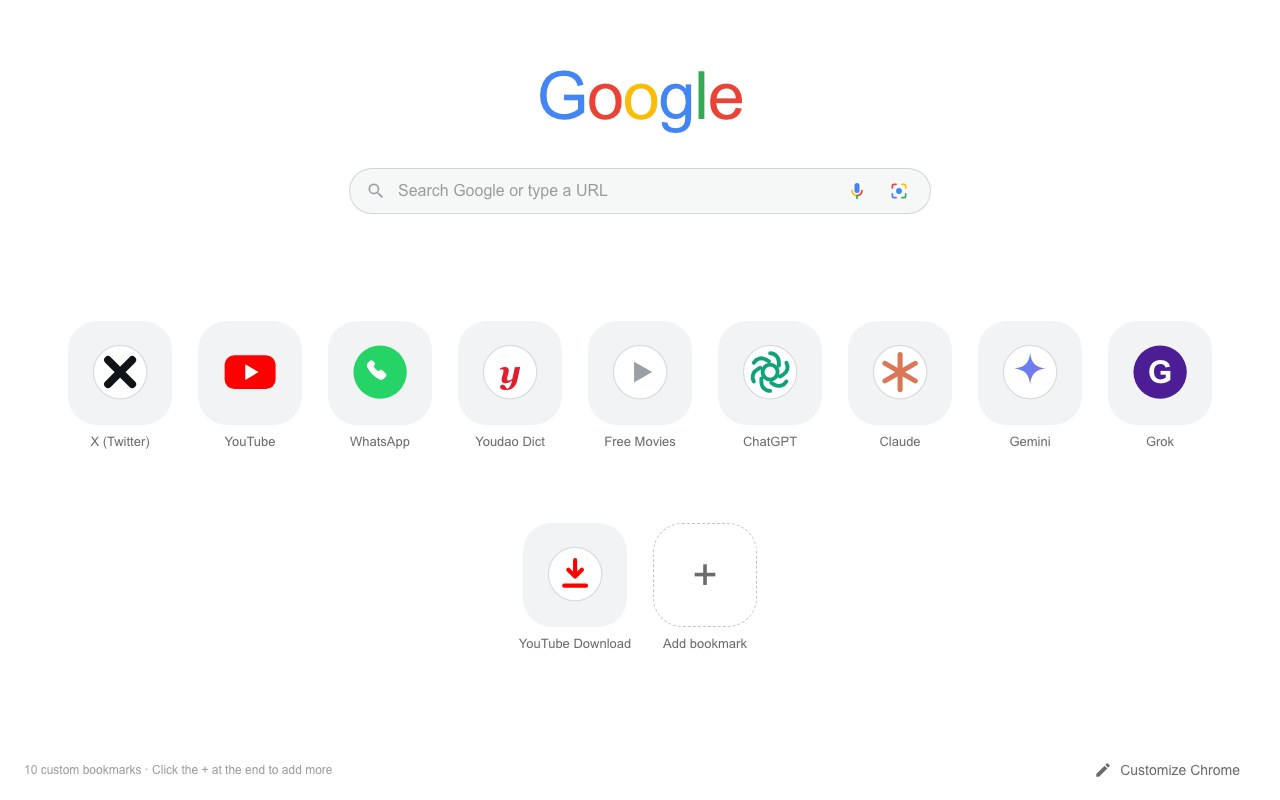
Chrome already puts a shortcut grid on the new tab — a basic built-in speed dial — but the look is fixed, some tiles appear automatically, and everything syncs to your Google account. Booklett keeps the one-click convenience and makes it yours: customizable, simple, and private.
| Feature | Chrome's default shortcuts | Booklett |
|---|---|---|
| Make it yours | ||
| Appearance | Light or dark, tied to Chrome's overall theme. | Light, dark or high-contrast — your choice, independent of the browser. |
| Icon size & spacing | Fixed size, fixed grid. | Dial in icon size and column gap; the grid reflows to any window. |
| Icon shape | One built-in circle style. | Circle, rounded square or subtle tile — switch anytime. |
| Keep it simple | ||
| What shows up | Hand-picked shortcuts, or auto-filled "most visited" tiles you didn't add. | Only the bookmarks you add yourself — nothing appears uninvited. |
| Editing | Hover a tile, open its three-dot menu, then edit. | Right-click any icon to rename, repoint or delete it. |
| Site icons | Automatic favicons. | Automatic favicons, plus a letter-tile fallback so nothing ever looks broken. |
| Keep it private | ||
| Where it's stored | Synced to your Google Account when sync is on. | Local Chrome storage on this device. Nowhere else. |
| Account needed | Google sign-in to keep shortcuts across devices. | No account — ever. |
| Source code | Closed source. | Open source on GitHub — you can read every line. |
Comparison reflects Chrome's default new-tab experience as of August 2026.
Feel the difference on your very next new tab.
Get BooklettBooklett is heading to the Chrome Web Store. Until then, grab the package from GitHub and load the unpacked extension — it takes under a minute.
Install Booklett from the Chrome Web Store and open a new tab — it takes under a minute. Prefer the source? It lives on GitHub.
Unzip the download, open chrome://extensions, switch on Developer mode, then choose Load unpacked and select the Booklett folder.
Press Add to Chrome — free above to open the listing, then click Add to Chrome on the store page.
Press ⌘T (or Ctrl+T). Your bookmarks appear as a full-width icon grid with a live layout that fits any window.
The last tile is always a +. Add any site — Booklett fetches its real favicon and keeps everything saved locally.
The things people usually ask before switching their new tab.
Yes. Booklett is a speed-dial style start page: every new tab opens on your bookmarks as an icon grid, and you control how that grid looks — appearance, icon size, spacing and shape.
On your device only. Booklett is local-first: bookmarks and settings live in Chrome's local storage on your machine. Nothing syncs to a server and nothing is sent anywhere.
No. Booklett has no sign-up, no sign-in and no sync. Install it and it works.
Yes. The full source code is on GitHub — you can read every line, file issues, or contribute.
If you switched Chrome to Enhanced Safe Browsing, Chrome only trusts a curated list of older, widely installed extensions and disables everything else — Booklett is simply too new to be on that list yet. It is not a security finding against Booklett. To keep using it, go to Settings → Privacy and security → Safe Browsing, choose Standard protection, then switch Booklett back on at chrome://extensions. Booklett asks for only two permissions and every line of its code is open for review.
Booklett is built for Chrome as a Manifest V3 extension, available on the Chrome Web Store. Because it uses standard web APIs, it can also be loaded in other Chromium-based browsers.
Yes — free forever, with no premium tier, ads or upsell. Optional PayPal donations keep development going.
The entire product runs inside your browser. Here is the complete data story — short enough to read in one sitting.
Data sent to Booklett's servers0 bytes
It's free and always will be. If it makes your browser a little brighter, consider fueling its development — every coffee counts.